
Stop hunting. Stop filing.
Still find it instantly.
Digging through folders and tidying up files is the most wasteful part of creative work. SeekShot searches your Mac by image, words, face, or the text inside a picture — so the asset you need surfaces in seconds, without the busywork. Everything stays on your Mac.
Searching and sorting images is unpaid, unproductive time.
Every minute spent looking for a file or tidying a folder is a minute not spent creating. SeekShot compresses that busywork down to almost nothing, so you can stay in the work that actually matters.
No more hunting
Stop scrubbing through folders and previews. Describe what you remember and the right image comes to you.
No more filing
Skip the endless renaming and sorting. SeekShot finds images by what they are, not where you filed them.
Seconds, not minutes
The asset you need surfaces in a few seconds — turning a recurring chore into something you barely notice.
Find your images — then organize them.
Search by the image itself, by natural words, by face, or by the text inside a picture.
Then tag what you find, group it into collections, and review everything in one place.
All on your Mac — nothing is uploaded to an external server.
Cut down on “where did I save that image again?”
SeekShot finds the images and videos on your Mac without relying on filenames or folders. You don't have to organize everything up front — search when you need something, and make what you find easier to reuse next time.
You want to find a reference image you saved a while ago.
You don't remember the filename — you only remember what it looked like.
You need every photo of the same person out of thousands of shots.
You want to track down a screenshot by the text inside it.
You want to keep similar assets together as tags or collections.
Four search modes
Multiple ways to find the images you need
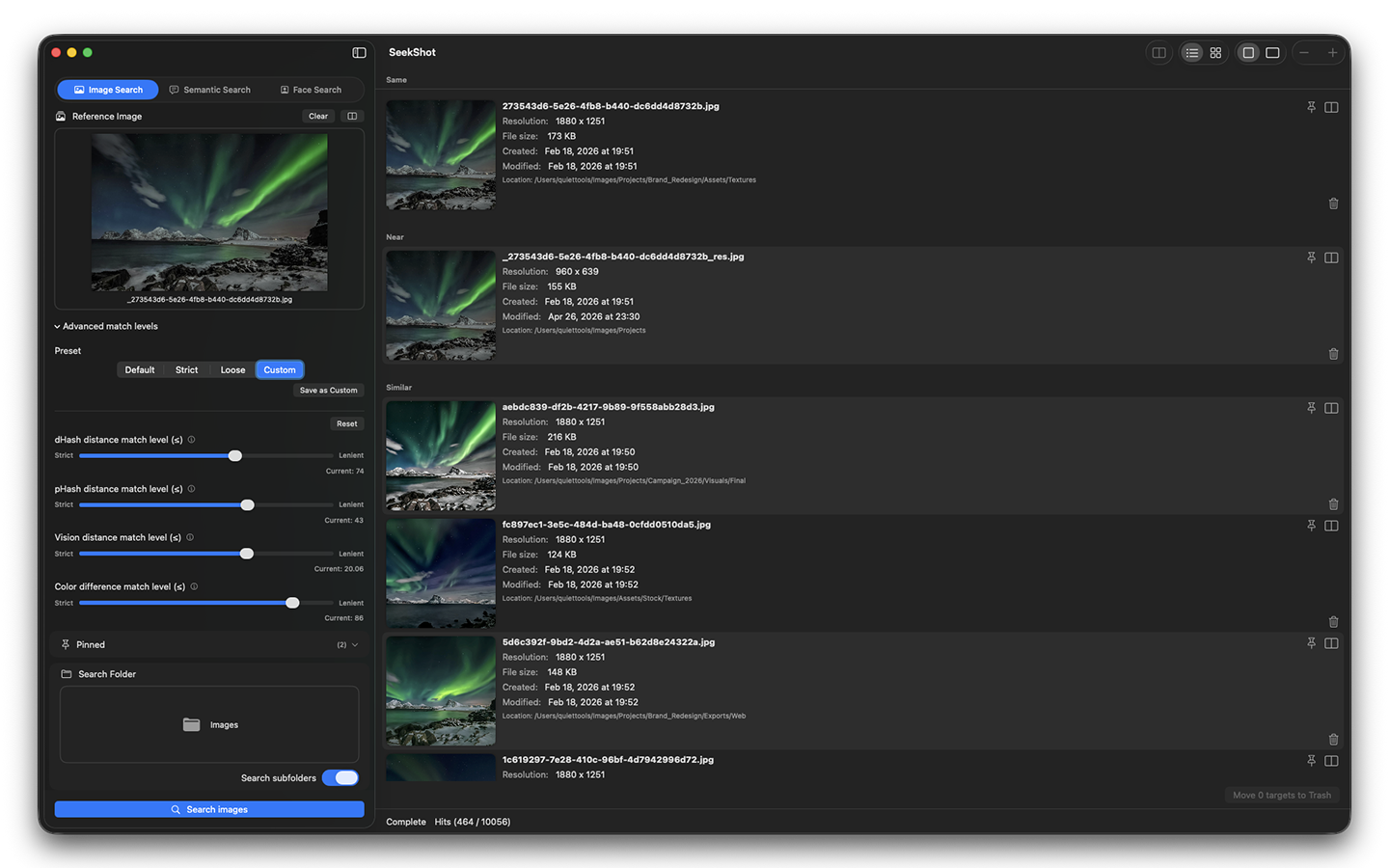
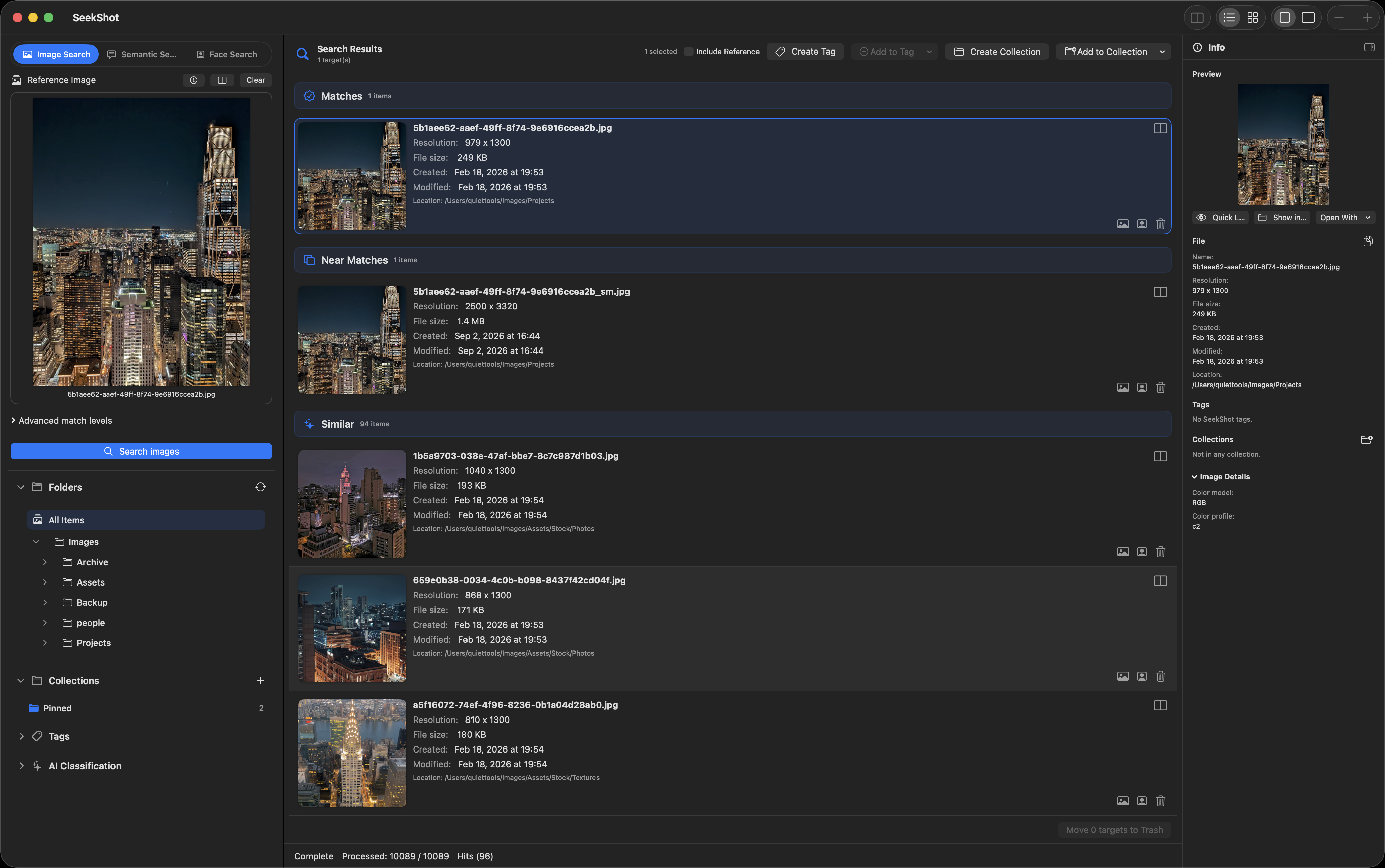
Search by Image
Show me everything similar to this image.
Start from a single reference image, and SeekShot finds pictures close in composition, color, and mood. Perfect for design assets, references, similar shots, and near-duplicates.
Search by Meaning
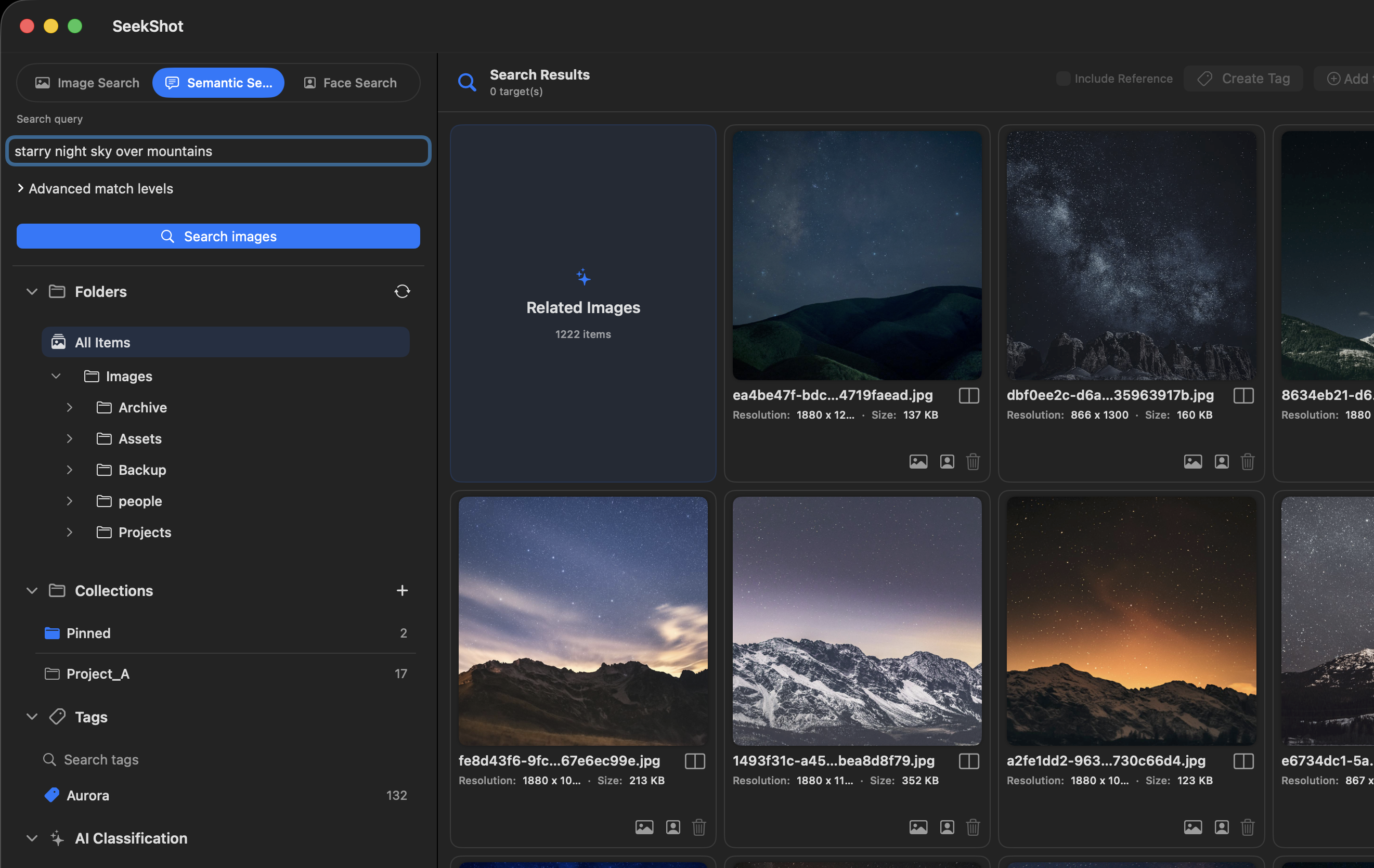
Search by what's in the image, not what it's named.
Describe what you're looking for in natural words — "neon street at night," "product photo on a white background," "a Japanese shrine." No reliance on filenames or folder names.
Search by Face
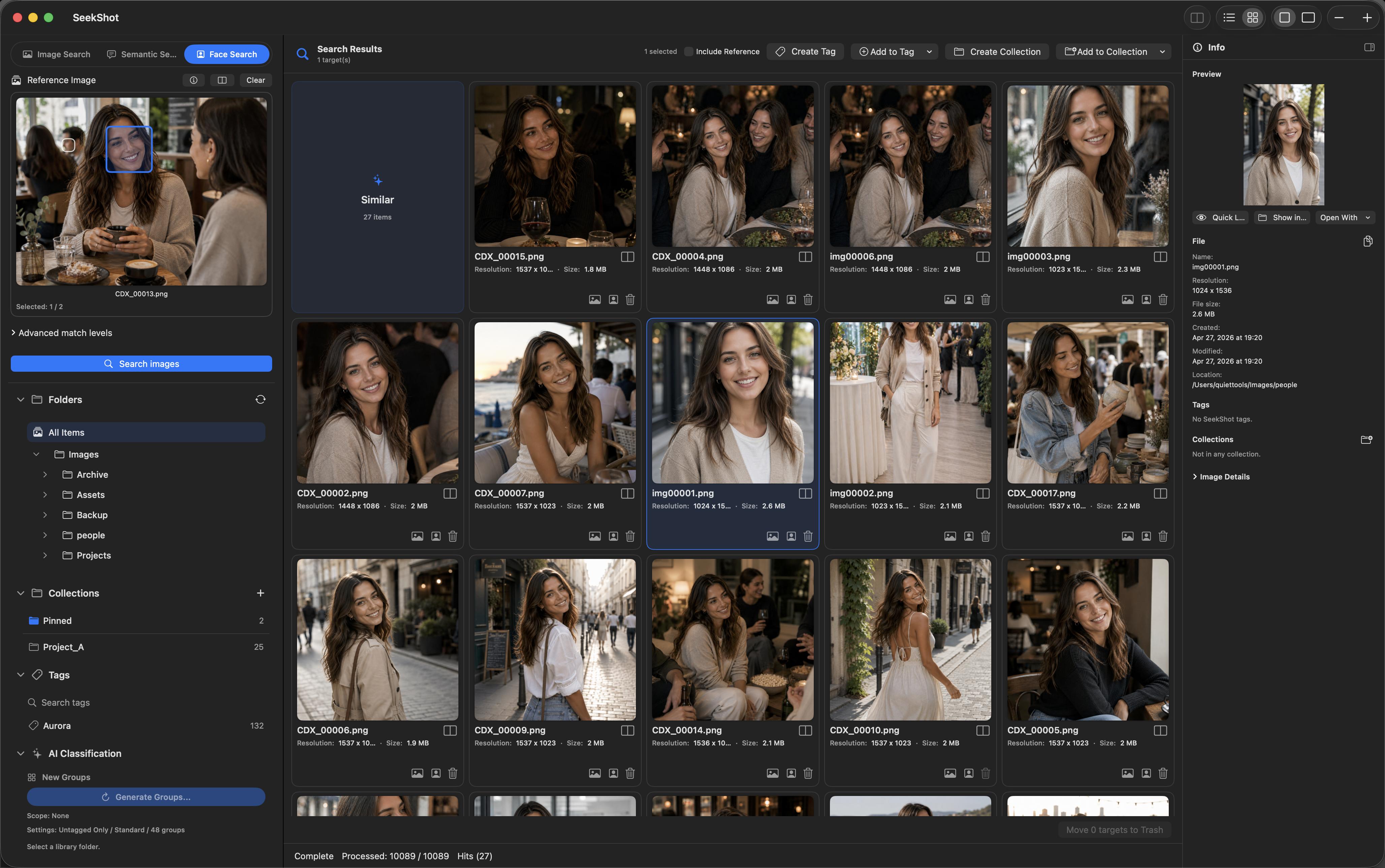
Find every photo of a person.
Select a face from any photo, and SeekShot collects the images that person appears in. Works even in group shots — pick exactly the face you're looking for.
OCR Search
Search the text inside your images.
SeekShot recognizes text in your images so you can find them by their words. Ideal for screenshots, document scans, notes, posters, and UI captures.
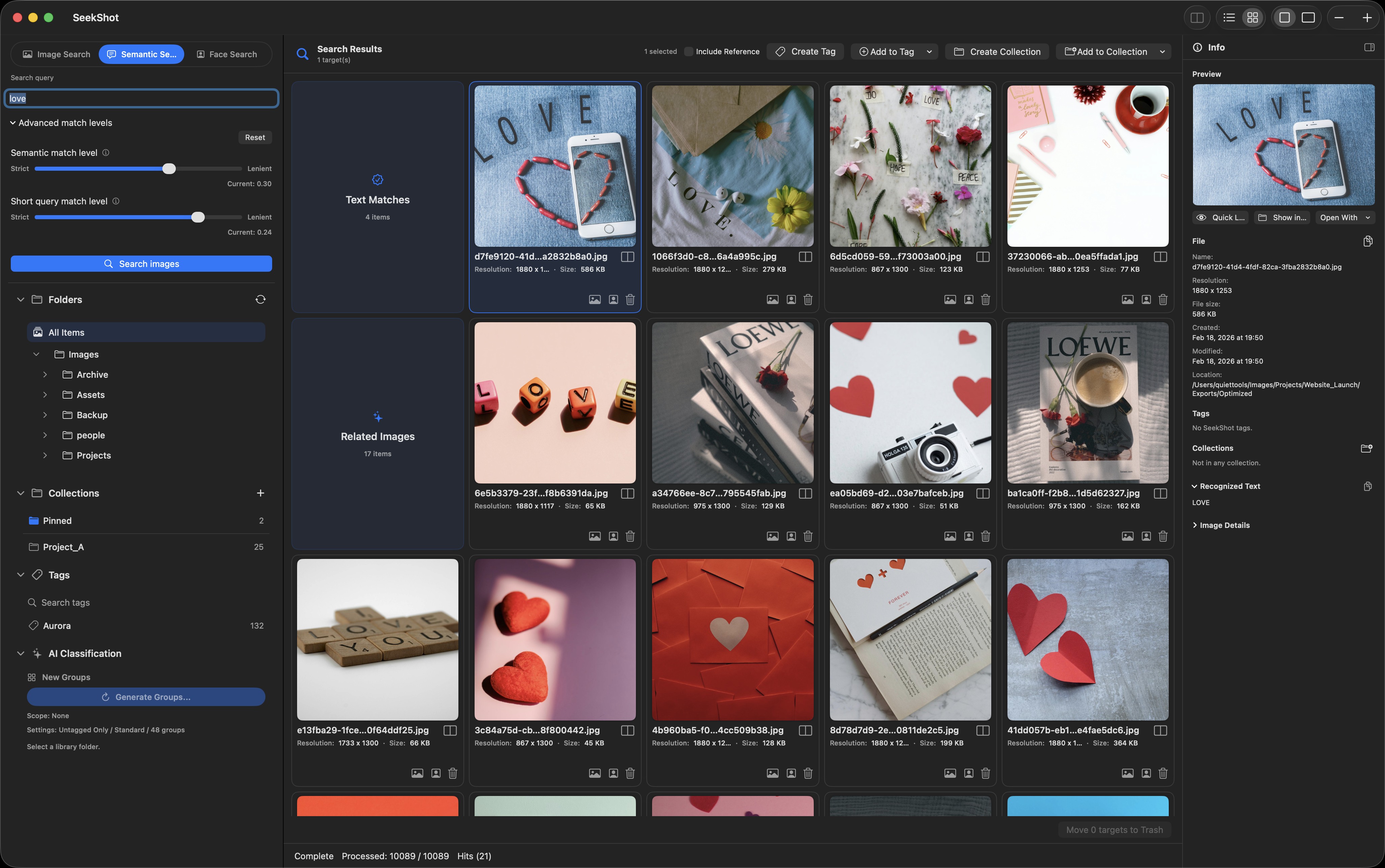
Find it. Then organize it.
Tag, collect, and review everything you find
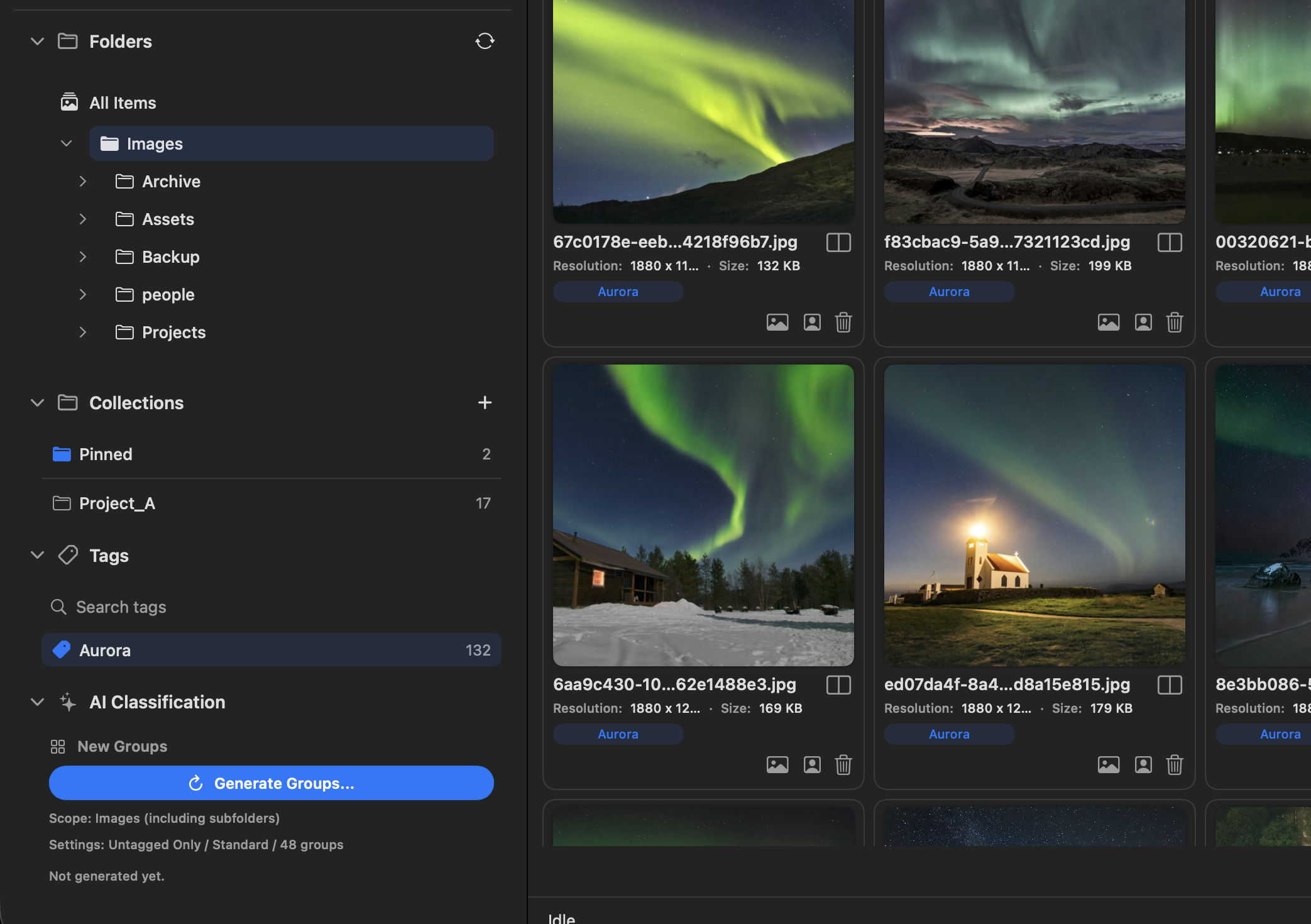
Tags
Tag images by purpose, project, theme, or material type. Jump to everything under a tag in a single view and revisit the images you need in seconds.
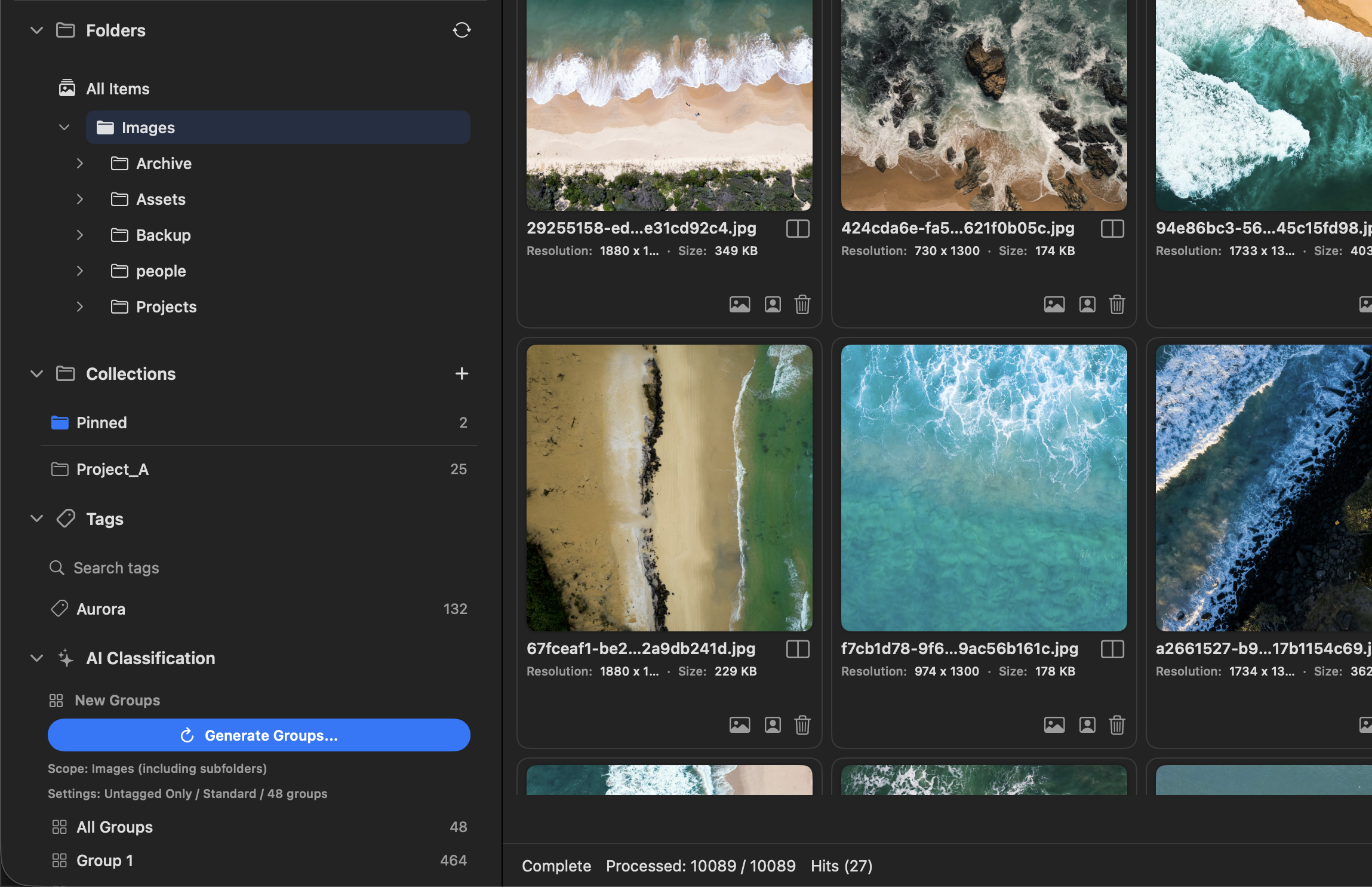
Collections
Group images by how you'll use them — references, material candidates, per-project sets, and things you want to use later.
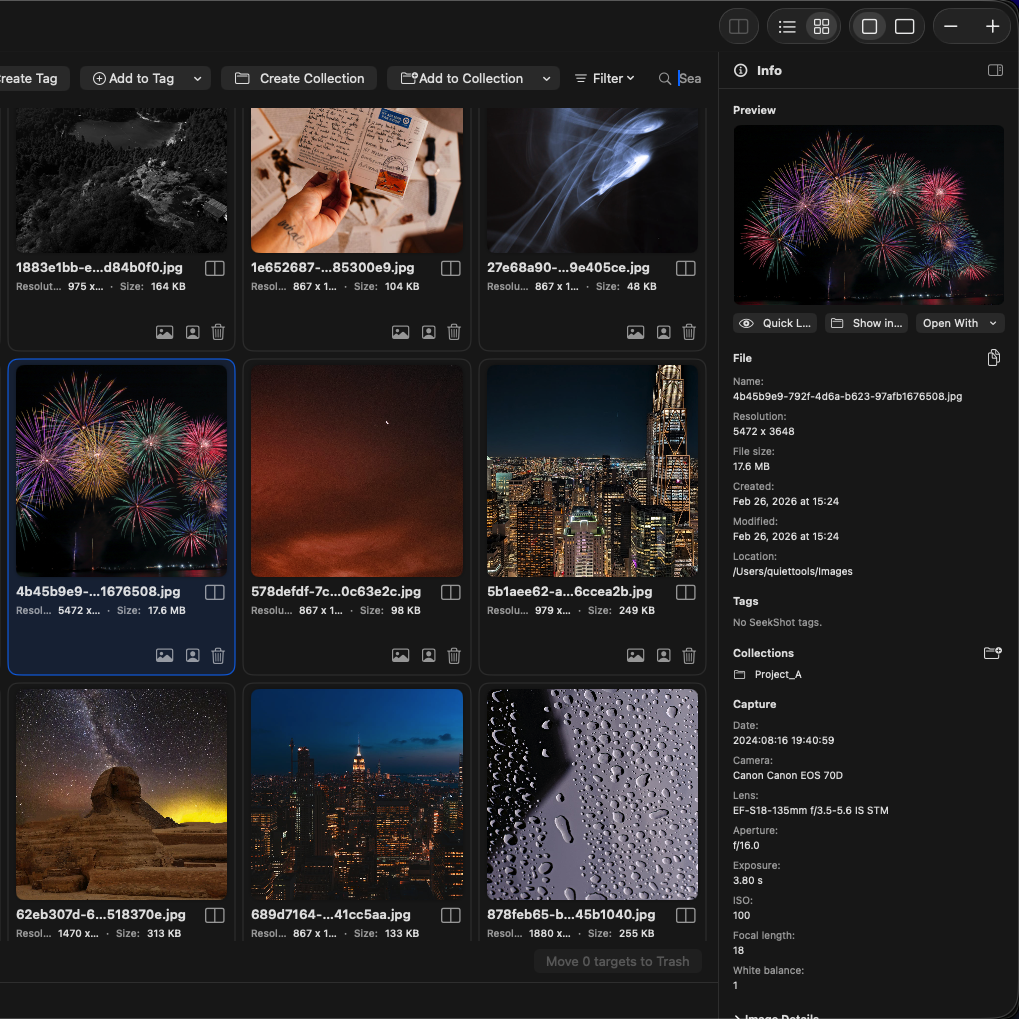
Info Pane
Inspect the selected image in the right pane: preview, file info, tags, collection membership, recognized text, and metadata.
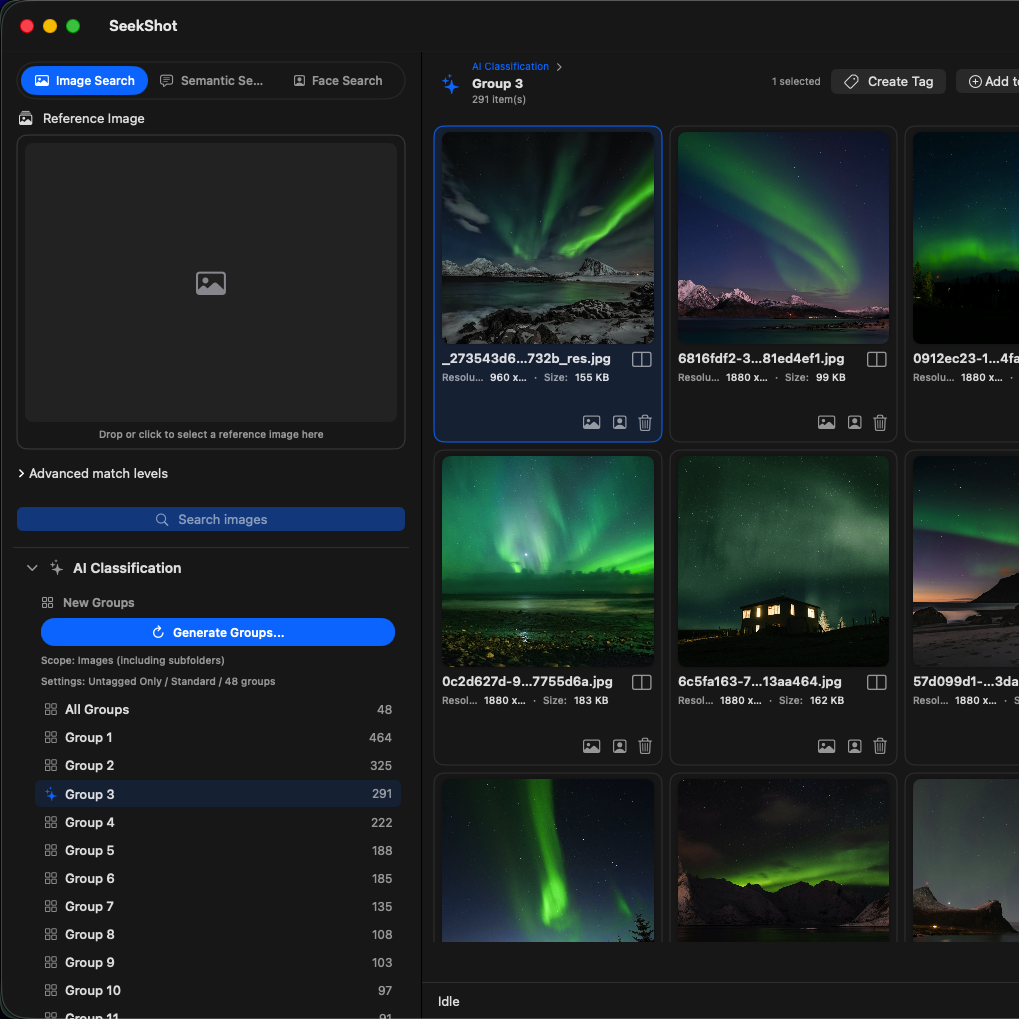
AI Classification
ProGenerate groups of similar images across your library — a starting point when you need to organize a large set.
Everything stays on your Mac.
Search, OCR, and indexing all run on your Mac. Your images, search index, tags, and collections stay local — nothing is ever uploaded to an external server.
Privacy PolicyPricing
Free to use. Pro when you need more.
Start searching for free. Upgrade to Pro via in-app purchase.
Free
No account. No subscription. Download and start.
- Index one root folder
- Search including subfolders
- Search by image, meaning, and face
- OCR search
- Create and add tags
- Up to 3 collections
Pro
Everything in Free, plus advanced features.
- Index one root folder
- Search including subfolders
- Search by image, meaning, and face
- OCR search
- Create and add tags
- Up to 3 collections
- Index multiple folders
- Unlimited collections
- AI classification
- Tag suggestions
- Compare images
- Delete image files
- Background updating
- Advanced search & performance settings
Choose your plan:
Upgrade to Pro via in-app purchase after downloading the free version
Downgrading from Pro keeps your registered folders and collections. If you go over the free limits, some additions and edits are restricted.